Schraubwerk CRM – CRM for wholesale.
Desktop CRM for a fastener wholesaler: customers, products, sales with invoice printing and payments, activities, reminders as well as users and roles – C#, WPF, Entity Framework and SQL Server. Available as a demo with a downloadable setup.
Schraubwerk CRM – CRM for wholesale
Desktop CRM for a fastener wholesaler: customers, products, sales with invoice printing and payments, activities, reminders as well as users and roles – C#, WPF, Entity Framework and SQL Server. Available as a demo with a downloadable setup.
About the project
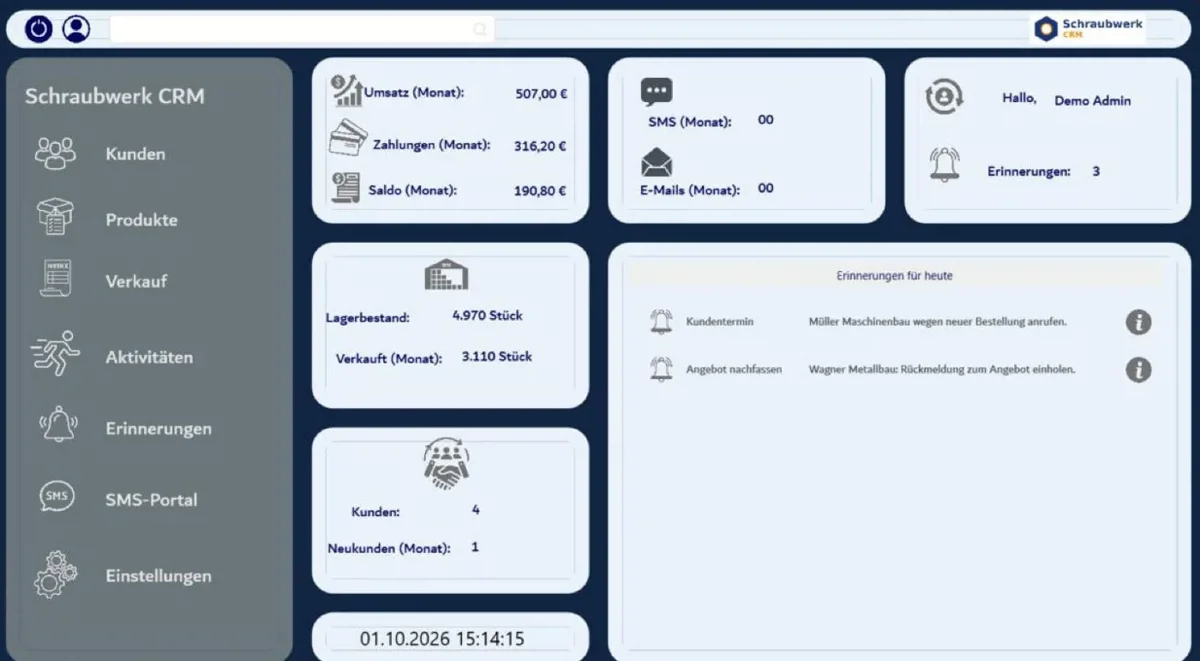
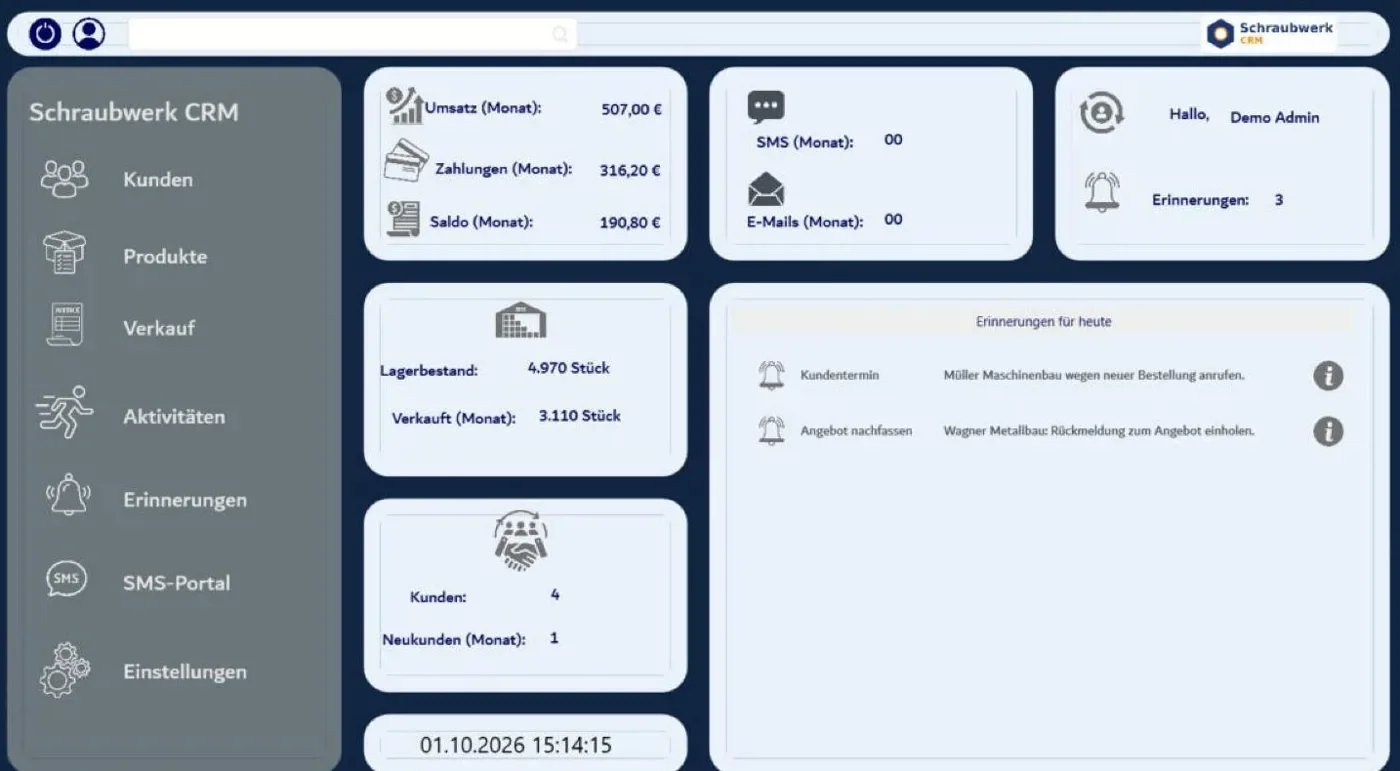
Schraubwerk CRM was developed for a wholesale trader of fastening elements such as screws, nuts, washers and wall plugs. It bundles daily work in one place: managing customers and products, recording sales, printing invoices, booking payments and assigning tasks to employees.
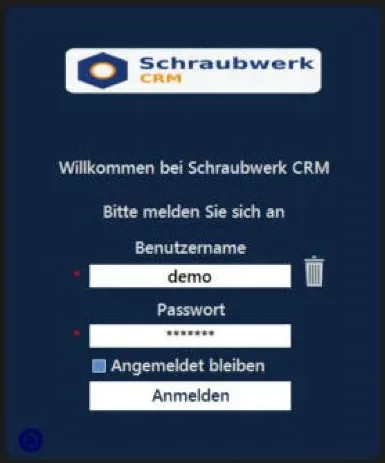
The published version is a demo to try out: A graphical setup wizard installs the program with just a few clicks; on the first launch, the database, stored procedures, users and sample data are created automatically. Login: demo / demo123.
Technical implementation
A Windows desktop application built with C# and .NET Framework 4.7.2. The user interface combines WPF (using HandyControls) and Windows Forms. Data access is handled via Entity Framework 6 on SQL Server or SQL Server Express LocalDB, complemented by stored procedures for searching and reporting. Uploaded images are automatically resized and saved as JPEG. A custom setup wizard (Windows Forms) installs the program without administrator rights and downloads a missing LocalDB via the official Microsoft installer.
Key Features
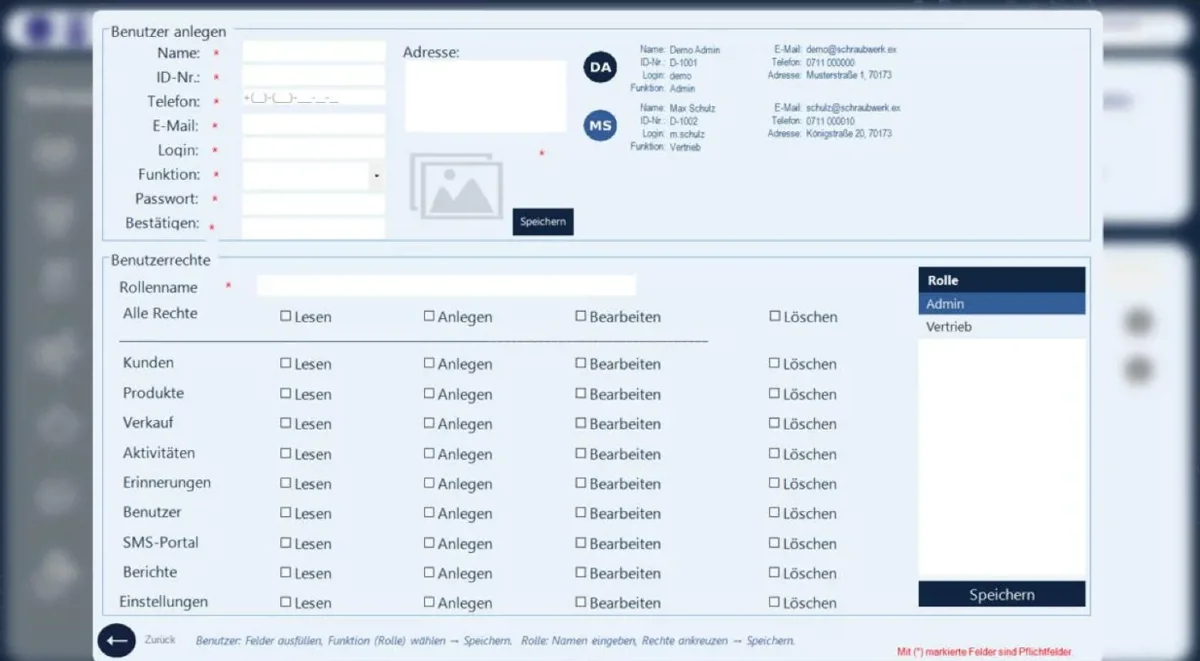
- Users & roles: roles with permissions per area (read, create, edit, delete); create, edit and delete users.
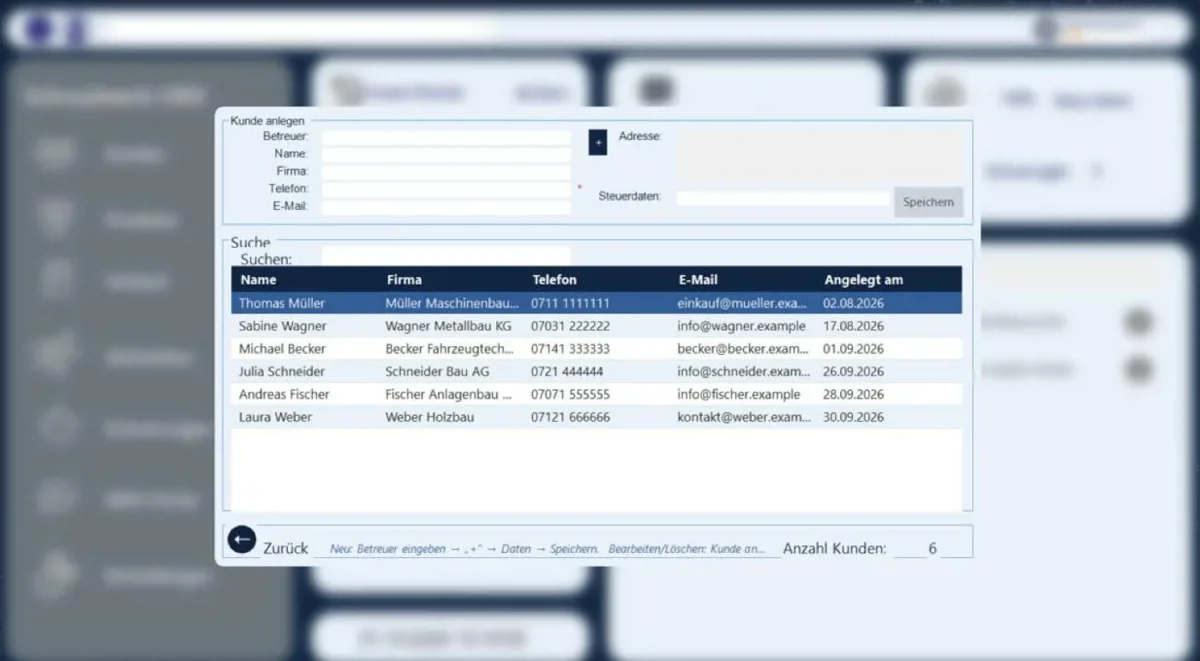
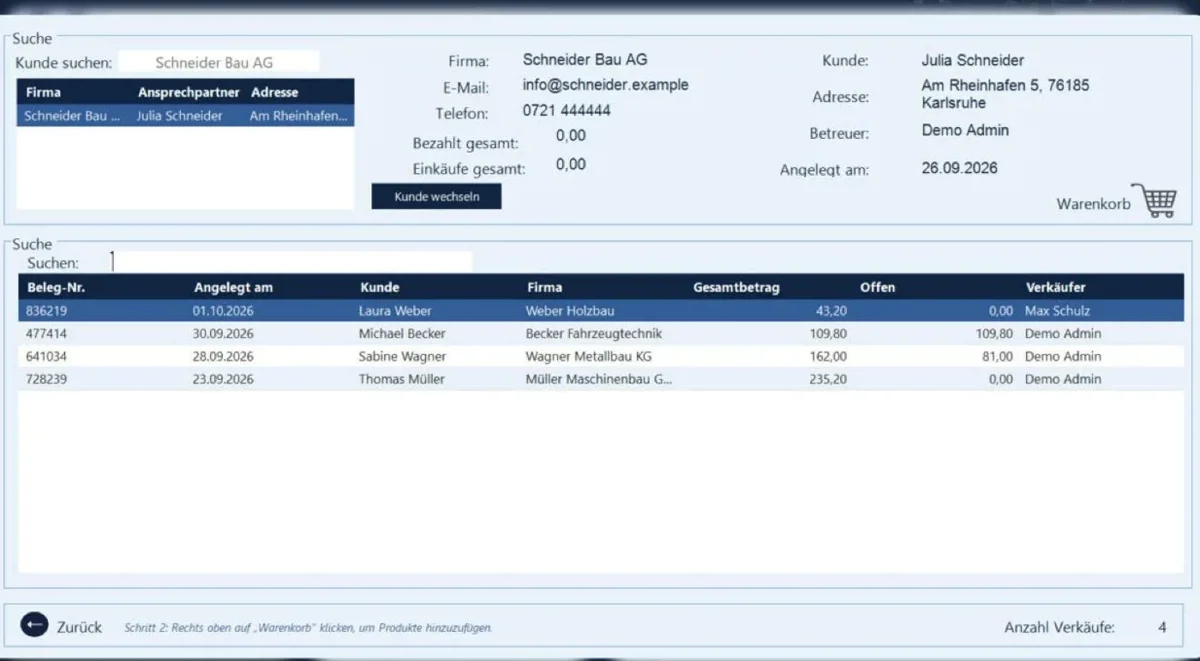
- Customer management: create, edit, delete and search customers – every customer has an account manager and a balance.
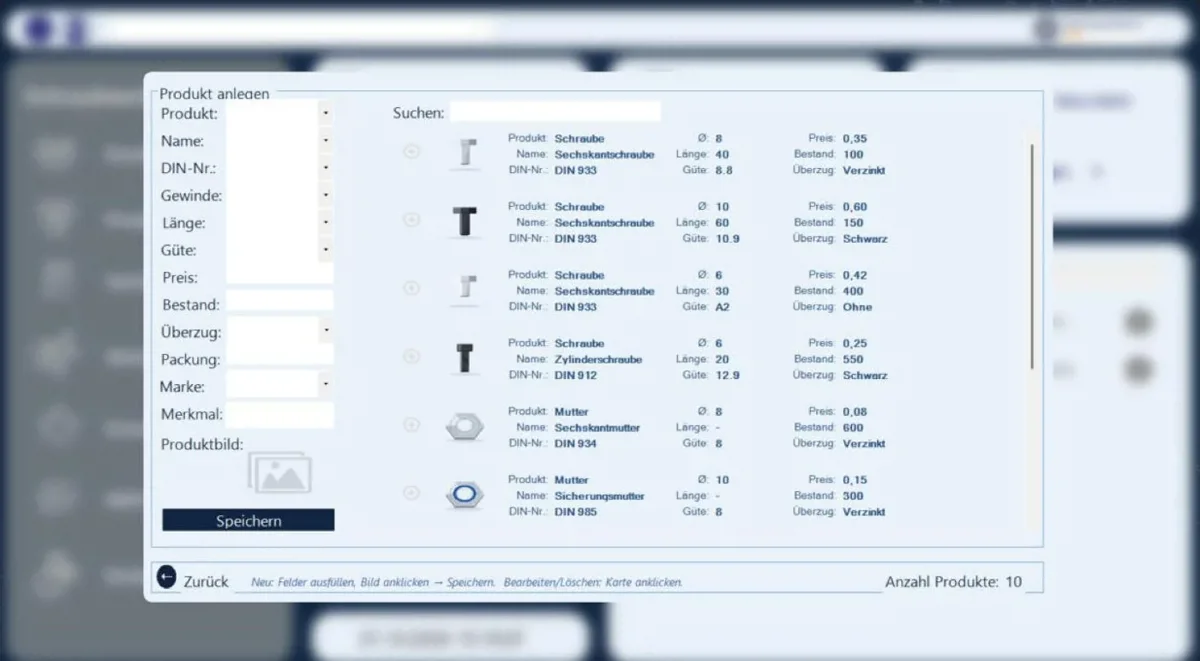
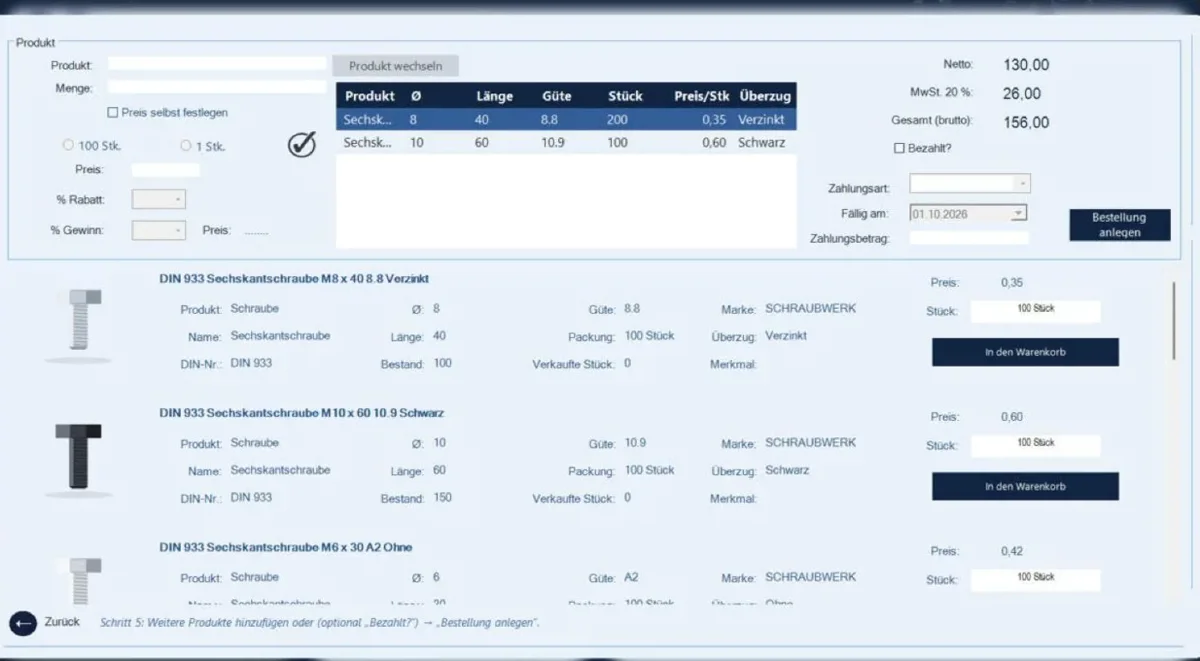
- Product management: fasteners with thread, length, grade, coating, DIN number, price, stock and product image.
- Sales & invoicing: choose a customer, fill the cart, create the order and print the invoice – stock is reduced automatically.
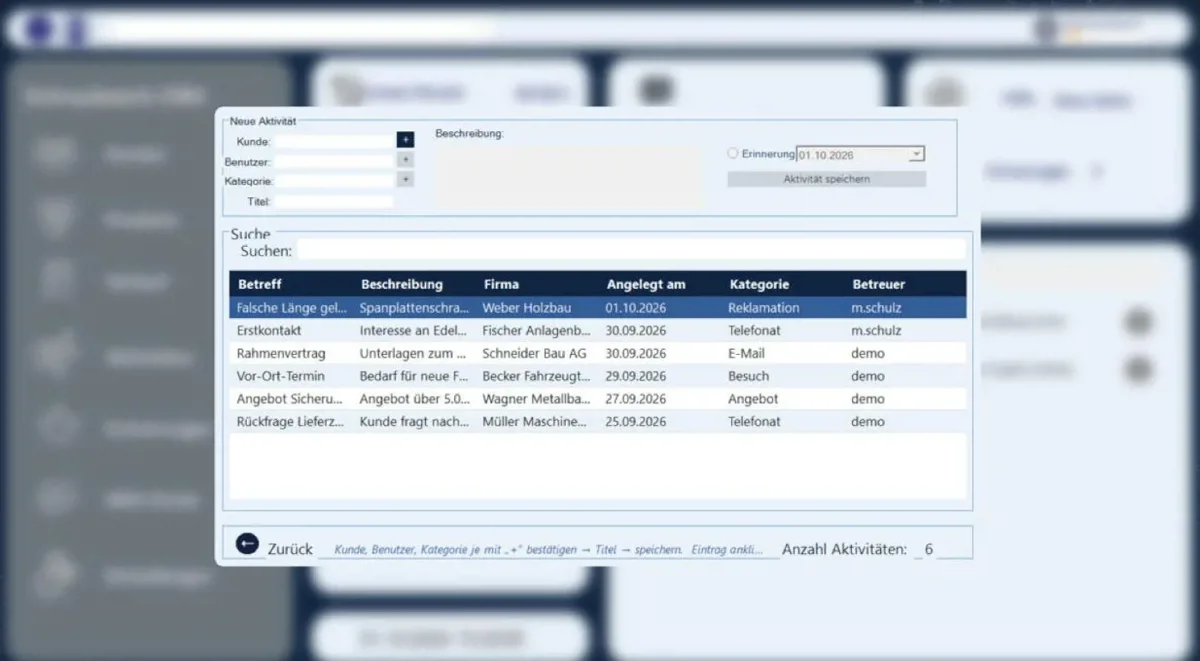
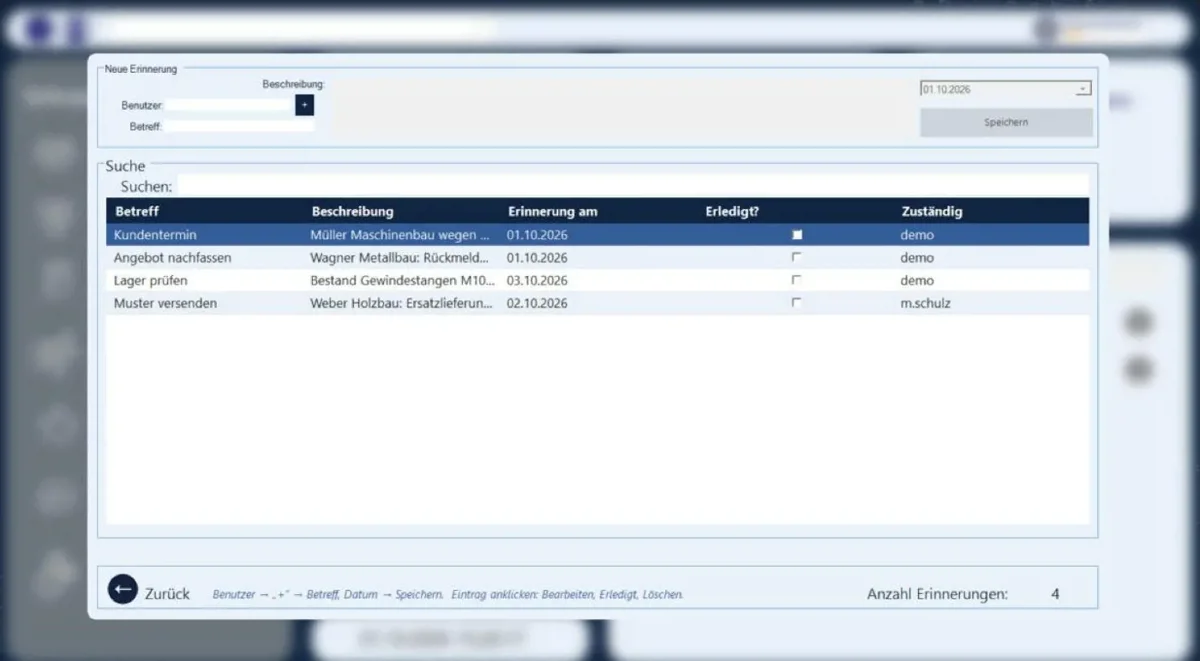
- Reminders: assign tasks to users – the notification appears on the home page on the due date.
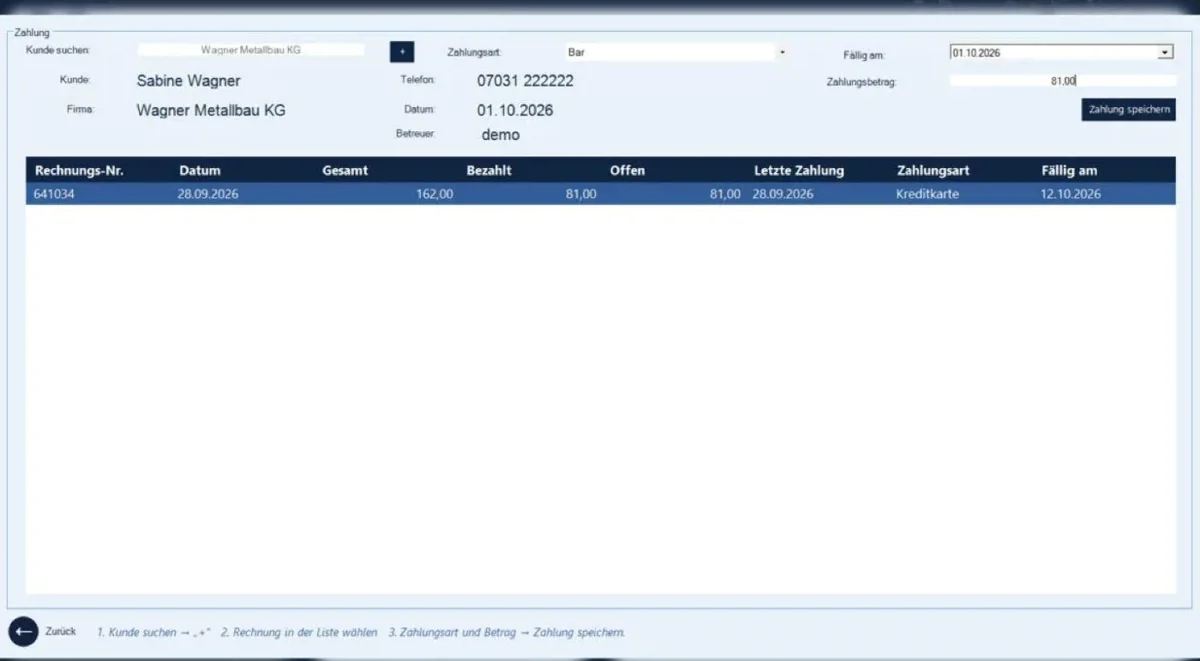
- Payments: book partial and remaining payments per invoice, open amounts at a glance.
- Activities: record phone calls, visits and quotes per customer.
- Usage hints: every window shows what to do next – step by step in sales.
- Demo version: Graphical setup wizard; database and sample data are created automatically on the first launch.
My Role
Independently designed and developed – from the database and business logic to the desktop user interface.
Architecture
Three-tier architecture: BE (entities) → DAL (Entity Framework 6, SQL Server/LocalDB, stored procedures) → BLL (business logic) → Desktop UI (WPF and Windows Forms). A demo module sets up the database and sample data automatically on first launch; the setup wizard packs the application into a single Setup.exe.
Challenges
The software had to reflect the actual daily work of a merchant – from customer contact and sales to invoicing and payment – and be accessible only to authorized employees. For the portfolio, it also needed to be testable by anyone without requiring a separate database setup.
Solutions
Roles with freely definable permissions, a sales module with shopping cart, invoice printing and partial payments, reminders that appear for the responsible user precisely on the due date, as well as a demo mode with LocalDB and a graphical setup wizard that reduces installation to just a few clicks.
Code Highlight
Rollen- und Rechteverwaltung · Warenkorb mit Rechnungsdruck und Teilzahlungen · gespeicherte SQL-Prozeduren für Suche und Kundensaldo · automatische Demo-Einrichtung (Datenbank, Prozeduren, Beispieldaten) · Bildkomprimierung beim Hochladen · eigener Setup-AssistentKey Learnings
Translating business requirements of a real company into software · Separation of concerns in a desktop application · Working with SQL Server, LocalDB, and stored procedures · User and rights management · Delivering a desktop application with a custom installer
// Detail views